

Fluxbox

Encyclopedia
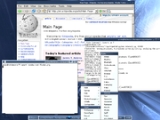
Fluxbox is a stacking window manager for the X Window System
, which started as a fork of Blackbox
0.61.1, with the same aim to be lightweight. Its user interface
has only a taskbar
, a pop-up menu accessible by right-clicking on the desktop, and minimal support for graphical icons
. All basic configurations are controlled by text file
s, including the construction of menus and the mapping of keybindings. Fluxbox has high compliance to the Extended Window Manager Hints
specification.
Fluxbox can show some eye candy
: colors, gradients, borders, and several other basic appearance attributes can be specified. Recent versions support rounded corners and graphical elements. Effects managers such as xcompmgr, cairo-compmgr and transset-df (deprecated) can add true transparency to desktop elements and windows. Enhancements can also be provided by using iDesk or fbdesk, or the ROX Desktop
.
Fluxbox also has several features Blackbox lacks, including tabbed windows and a configurable titlebar.
Because of its small memory footprint and quick loading time, Fluxbox is popular in many Live CD
s such as Knoppix STD
and GParted
. It was the default window manager of Damn Small Linux
and antiX, but was replaced with JWM
in 2007 and 2009 respectively. It is currently the default window manager of PCFluxboxOS, a remaster of PCLinuxOS
, and of Linux Mint
Fluxbox CE. Fluxbuntu
, an Ubuntu
derivative with lightweight applications, was released in October 2007.
X Window System
The X window system is a computer software system and network protocol that provides a basis for graphical user interfaces and rich input device capability for networked computers...
, which started as a fork of Blackbox
Blackbox
In Unix computing, Blackbox is a stacking window manager for the X Window System.Blackbox has specific design goals, and some functionality is provided only through other applications. One example is the bbkeys hotkey application....
0.61.1, with the same aim to be lightweight. Its user interface
User interface
The user interface, in the industrial design field of human–machine interaction, is the space where interaction between humans and machines occurs. The goal of interaction between a human and a machine at the user interface is effective operation and control of the machine, and feedback from the...
has only a taskbar
Taskbar
In computing, a taskbar is a bar displayed on a full edge of a GUI desktop that is used to launch and monitor running applications. Microsoft incorporated a taskbar in Windows 95 and it has been a defining aspect of Microsoft Windows's graphical user interface ever since. Some desktop environments,...
, a pop-up menu accessible by right-clicking on the desktop, and minimal support for graphical icons
Icon (computing)
A computer icon is a pictogram displayed on a computer screen and used to navigate a computer system or mobile device. The icon itself is a small picture or symbol serving as a quick, intuitive representation of a software tool, function or a data file accessible on the system. It functions as an...
. All basic configurations are controlled by text file
Text file
A text file is a kind of computer file that is structured as a sequence of lines of electronic text. A text file exists within a computer file system...
s, including the construction of menus and the mapping of keybindings. Fluxbox has high compliance to the Extended Window Manager Hints
Extended Window Manager Hints
Extended Window Manager Hints, aka NetWM or Net WM, is an X Window System standard for window managers. It defines various interactions between window managers, utilities, and applications, all part of an entire desktop environment...
specification.
Fluxbox can show some eye candy
Eye candy
Eye candy may refer to:*Attractiveness*Eye Candy , an album by Mis-Teeq*software "Eye Candy", a plugin for Adobe Photoshop and Adobe Fireworks that adds new filter effects*"Eye Candy", an episode of the animated series Happy Tree Friends...
: colors, gradients, borders, and several other basic appearance attributes can be specified. Recent versions support rounded corners and graphical elements. Effects managers such as xcompmgr, cairo-compmgr and transset-df (deprecated) can add true transparency to desktop elements and windows. Enhancements can also be provided by using iDesk or fbdesk, or the ROX Desktop
ROX Desktop
The ROX Desktop is a graphical desktop environment for the X Window System. It is based on the ROX-Filer which is a drag and drop spatial file manager. It is free software released under the GNU General Public License. The environment was inspired by the user interface of RISC OS...
.
Fluxbox also has several features Blackbox lacks, including tabbed windows and a configurable titlebar.
Because of its small memory footprint and quick loading time, Fluxbox is popular in many Live CD
Live CD
A live CD, live DVD, or live disc is a CD or DVD containing a bootable computer operating system. Live CDs are unique in that they have the ability to run a complete, modern operating system on a computer lacking mutable secondary storage, such as a hard disk drive...
s such as Knoppix STD
Knoppix STD
Knoppix STD is a Live CD Linux distribution based on Knoppix that focused on computer security tools. It included GPL licensed tools in the following categories: authentication, password cracking, encryption, forensics, firewalls, honeypots, intrusion detection system, network utilities,...
and GParted
GParted
GParted is a GTK+ front-end to GNU Parted and the official GNOME Partition Editor application.It is used for creating, deleting, resizing, moving, checking and copying partitions, and the file systems on them...
. It was the default window manager of Damn Small Linux
Damn Small Linux
Damn Small Linux or DSL is a computer operating system for the x86 family of personal computers. It is free and open source software under the terms of GNU GPL and other free and open source licenses. It was designed to run graphical applications on older PC hardware—for example, machines with...
and antiX, but was replaced with JWM
JWM
JWM is a lightweight stacking window manager for the X Window System written by Joe Wingbermuehle. JWM is written in C and uses only Xlib at a minimum...
in 2007 and 2009 respectively. It is currently the default window manager of PCFluxboxOS, a remaster of PCLinuxOS
PCLinuxOS
PCLinuxOS, often shortened to PCLOS, is a GNU/Linux distribution, with KDE Plasma Desktop as its default user interface. It is a primarily free software operating system for personal computers aimed at ease of use...
, and of Linux Mint
Linux Mint
Linux Mint is a Linux-based computer operating system best known for its usability and ease of installation, particularly for users with no previous GNU/Linux experience...
Fluxbox CE. Fluxbuntu
Fluxbuntu
Fluxbuntu is a lightweight Linux distribution which uses the Fluxbox window manager and is based on Ubuntu. By contrast, Ubuntu uses the Unity desktop environment, Kubuntu uses KDE, and Xubuntu uses Xfce, all of which are somewhat more demanding of computer memory and resources...
, an Ubuntu
Ubuntu (operating system)
Ubuntu is a computer operating system based on the Debian Linux distribution and distributed as free and open source software. It is named after the Southern African philosophy of Ubuntu...
derivative with lightweight applications, was released in October 2007.
Features
Features of the Fluxbox window manager include:- Right-clicking on the desktop gives a root menu
- Customizable root menu
- Support for wallpaper
- Running applications appear in a taskbarTaskbarIn computing, a taskbar is a bar displayed on a full edge of a GUI desktop that is used to launch and monitor running applications. Microsoft incorporated a taskbar in Windows 95 and it has been a defining aspect of Microsoft Windows's graphical user interface ever since. Some desktop environments,...
- Desktop shortcuts
- Support for desktop themes
Customization
Customization is done by editing configuration files in the .fluxbox subdirectory in the user's home directory. Keyboard shortcuts are stored in the ~/.fluxbox/keys file, menu layout is in the ~/.fluxbox/menu file, everything that's run at startup is kept in the ~/.fluxbox/startup file, and the fluxbox configuration file is held at ~/.fluxbox/init.Useful tools
- IPager : A lightweight pager.
- Fbsetbg : Set wallpaper for Fluxbox.
- FluxSpace : A window manager and workspace enhancer and integrator.
- Fluxter : A slit pager.
See also
- BlackboxBlackboxIn Unix computing, Blackbox is a stacking window manager for the X Window System.Blackbox has specific design goals, and some functionality is provided only through other applications. One example is the bbkeys hotkey application....
- OpenboxOpenboxOpenbox is a free window manager for the X Window System, licensed under the GNU General Public License. Originally derived from Blackbox 0.65.0 , Openbox has now been totally rewritten in the C programming language and since version 3.0 is not based upon any code from Blackbox.Openbox is designed...
- Comparison of X window managersComparison of X window managersThis article compares variety of different X window managers. For an introduction to the topic, see X Window System.- See also :* Comparison of X Window System desktop environments* Window manager...
External links
- fluxbox.org Official website
- .:F L U X B O X:. - Welcome to fluxbox Old website
- Fluxbox-wiki Fluxbox official wiki
- [irc://irc.freenode.net/fluxbox #fluxbox] on freenode