

Solid ink

Encyclopedia
Computer printer
In computing, a printer is a peripheral which produces a text or graphics of documents stored in electronic form, usually on physical print media such as paper or transparencies. Many printers are primarily used as local peripherals, and are attached by a printer cable or, in most new printers, a...
s and multifunction
Multifunction printer
An MFP , multifunctional, all-in-one , or Multifunction Device , is an office machine which incorporates the functionality of multiple devices in one, so as to have a smaller footprint in a home or small business setting , or to provide centralized document...
devices originally created by Tektronix
Tektronix
Tektronix, Inc. is an American company best known for its test and measurement equipment such as oscilloscopes, logic analyzers, and video and mobile test protocol equipment. In November 2007, Tektronix became a subsidiary of Danaher Corporation....
in 1986. After Xerox
Xerox
Xerox Corporation is an American multinational document management corporation that produced and sells a range of color and black-and-white printers, multifunction systems, photo copiers, digital production printing presses, and related consulting services and supplies...
acquired the Tektronix Color Printing and Imaging Division in 2000, the solid ink technology became part of the Xerox line of office printing and imaging products. Early offerings focused on the graphic arts
Graphic arts
A type of fine art, graphic art covers a broad range of art forms. Graphic art is typically two-dimensional and includes calligraphy, photography, drawing, painting, printmaking, lithography, typography, serigraphy , and bindery. Graphic art also consists of drawn plans and layouts for interior...
industry. The Phaser III product introduced in 1991 cost $10,000 US. As the technology improved and costs were reduced, the focus shifted to office printing environments where quality and cost efficiency are important.
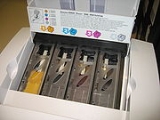
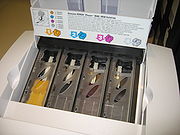
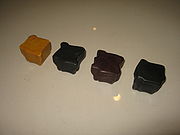
Solid ink technology utilizes solid ink sticks in lieu of the fluid ink
Ink
Ink is a liquid or paste that contains pigments and/or dyes and is used to color a surface to produce an image, text, or design. Ink is used for drawing and/or writing with a pen, brush, or quill...
or toner
Toner
Toner is a powder used in laser printers and photocopiers to form the printed text and images on the paper. In its early form it was simply carbon powder. Then, to improve the quality of the printout, the carbon was melt-mixed with a polymer...
powder usually used in printers. After the ink stick is loaded into the printing device, it is melted and used to produce images on paper in a process similar to offset printing
Offset printing
Offset printing is a commonly used printing technique in which the inked image is transferred from a plate to a rubber blanket, then to the printing surface...
. Xerox claims that solid ink printing produces more vibrant colors than other methods, is easier to use, can print on a wide range of media, and is more environmentally friendly
Environmentally friendly
Environmentally friendly are terms used to refer to goods and services, laws, guidelines and policies claimed to inflict minimal or no harm on the environment....
due to reduced waste output. The sticks are non-toxic and safe to handle. In the mid 1990s, the president of Tektronix actually ate part of a stick of solid ink, demonstrating that they are safe to handle and presumably, eat. The medium of the ink was (at least at the time) made from food-grade processed vegetable oils.
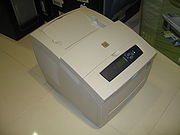
Current solid ink products are the Xerox Phaser
Xerox Phaser
Xerox Phaser is the brand name for a line of color and monochrome printers produced and sold by Xerox. Some Phaser printers use Xerox Solid Ink technology...
8560 and 8860 color printers and the Xerox Phaser 8560MFP and 8860MFP color multifunction printers. Being otherwise identical, 8560 and 8860 differ by the shape of the ink stick, and the ink price is set much lower for 8860 model, which is, correspondingly, sold for much higher price.
Xerox
Xerox
Xerox Corporation is an American multinational document management corporation that produced and sells a range of color and black-and-white printers, multifunction systems, photo copiers, digital production printing presses, and related consulting services and supplies...
introduced the new ColorQube 9200 series of tabloid multifunction device on May 7, 2009. This is the first solid ink multifunction device to be capable of printing up to 12×18″ (Tabloid Extra) or SRA3. In the 1990s, a succession of solid ink printers capable of printing up to Tabloid Extra were introduced, including the Phaser III, the Phaser 300, and culminating with the Phaser 380 in 1997.
Advantages
Print Quality: Due to the way solid ink printers put the ink onto the page, print quality is considered to be excellent with lively colors. Excellent results can be achieved with low-quality stock, as the wax covers the stock with a glossy surface.Waste: Because solid blocks of ink are used, there is less waste generated than is with laser printers or inkjet printers, which produce empty ink or toner cartridges, in addition to packaging and packing materials. A loose ink block does not leave any residual cartridge after it is consumed - only a crushable, thin, plastic packing tray and a recyclable cardboard packaging box.
Recycled Paper: Solid ink printers are able to print on many different types and thicknesses of media. They are much less sensitive to changes in media type than are color laser printers.
Compatible supplies: Third-party compatible solid ink blocks are available and may be considerably less expensive than official Xerox supplies. Solid contaminants in ink blocks can clog print head nozzles, and may require costly printhead replacement. For this reason, many third-party ink manufacturers provide a guarantee and will pay for the replacement of a damaged printhead.
Disadvantages
Print Durability : A page printed on the highest quality print setting can have the ink scraped off rather easily with a fingernail. Lower quality print settings do not pile up as much ink and are more durable but the ink can still scrape off.Warm-up time : When the device is cold the first page may take several minutes to print. However, once the printer is warmed up, the time to print the first page is negligible.
Power consumption: The ink must be heated and a large portion of the printing mechanism must be kept at or near the ink's melting point during use. When the printer is in "sleep mode", most units keep a small pool of each color wax within the printhead heated to a temperature just above the ink's "freeze point". According to the Xerox service manual, this consumes about 50 watts.
Excessive Ink Usage : Every time the printer loses power for long enough to cause the portion of ink which was being kept above its "freeze point" in the printhead to drop below that temperature, the mass of ink in each reservoir would have contracted in size enough as a result of the cooling to permit air to enter the printhead, which would result in print aberrations until the printhead reservoirs had been refilled by the ink melter assembly above it. As a result, the printhead is then purged using a vacuum pump, causing some ink to be flushed from the printhead's holding tanks into the waste tray to remove the air from the printhead. (Xerox printers have a "waste ink" tray for this purpose. Since all four inks are dumped into a unified "waste ink" tray, it is impossible to reuse the lost ink since the four process colors coalesce to form a single solid mass in the tray, which look much like solidified candle wax drippings, but almost black.) If the printer was in its sleep state, less time without power would be required to necessitate a purge cycle than if the printer was in its ready-to-print state (since the printhead is kept much hotter when ready-to-print).
Printer damage from moving: The printer contains melted wax when at operating temperature
Operating temperature
An operating temperature is the temperature at which an electrical or mechanical device operates. The device will operate effectively within a specified temperature range which varies based on the device function and application context, and ranges from the minimum operating temperature to the...
, and owners' manuals warn that it cannot be moved until it has completed a special cool-down cycle selected from the machine's control panel. Cool down time by merely removing mains power is recommended as 30 minutes, but all modern solid ink printers have a shutdown cycle which use fans to solidify the ink in less than ten minutes, with the added benefit of physically restraining the printhead to prevent damage during moving or shipping. The manuals warn that substantial damage is possible otherwise, requiring servicing by a trained technician if not properly cooled down before moving the printer. Moving the printer before cool down completes can damage the print head by spilling molten ink between reservoirs of different color as well as over other components inside the printer (motors, belts, etc.), and is not covered under maintenance or warranty.
Odor: As the printer must melt wax blocks as part of its warm-up and printing process, the printer will give off a distinctive smell that continues throughout the life of the printer. It smells similar to a mix of hot wax, pine trees
Pine
Pines are trees in the genus Pinus ,in the family Pinaceae. They make up the monotypic subfamily Pinoideae. There are about 115 species of pine, although different authorities accept between 105 and 125 species.-Etymology:...
, and cedar
Cedar wood
Cedar wood comes from several different trees that grow in different parts of the world, and may have different uses.* California incense-cedar, from Calocedrus decurrens, is the primary type of wood used for making pencils...
. This problem has been eliminated in more recent printers due to reformulated ink.
High-speed Moving Parts: In order to transfer the ink to the sheet of paper, the printer includes a large internal drum, which is rotated at a high speed. Over time, the belt that moves the drum may stretch, or other mechanical problems occur, however solid ink printers contain a fraction of the moving parts that a conventional laser printer does.
Clogged Print Heads: Unlike some inkjet printers where the cartridge includes the print head, the print head in these printers is fixed. Over time, parts of the print head become permanently clogged, resulting in unsightly streaks, but there are printhead cleaning cycles which can resolve most printhead issues. Dust caused by the use of cheap paper can cause printhead clogging, which is why Xerox recommends the use of high-quality paper. Printheads have been known to last one million prints or more.
Incompatible with laser printers: Not appropriate for letterhead printing or uses where the document will later be fed through a black/white laser printer. The heat from the laser fuser will cause the wax ink to discolor, fade, or contaminate the laser printer.
Ultraviolet resistance : Using organic colourant
Colourant
A colourant or colorant is something added to something else to cause a change in colour. Colourants can be:* Dyes* Pigments* Biological pigments* Inks* Paint* Coloured chemicals...
s, solid ink prints are sensitive to the sun's ultraviolet
Ultraviolet
Ultraviolet light is electromagnetic radiation with a wavelength shorter than that of visible light, but longer than X-rays, in the range 10 nm to 400 nm, and energies from 3 eV to 124 eV...
light, and color fades
UV degradation
Many natural and synthetic polymers are attacked by ultra-violet radiation and products made using these materials may crack or disintegrate . The problem is known as UV degradation, and is a common problem in products exposed to sunlight...
with sunlight exposure over time. This problem is the same with inkjet printer
Inkjet printer
An inkjet printer is a type of computer printer that creates a digital image by propelling droplets of ink onto paper. Inkjet printers are the most commonly used type of printer and range from small inexpensive consumer models to very large professional machines that can cost up to thousands of...
s dye
Dye
A dye is a colored substance that has an affinity to the substrate to which it is being applied. The dye is generally applied in an aqueous solution, and requires a mordant to improve the fastness of the dye on the fiber....
s, but laser printer
Laser printer
A laser printer is a common type of computer printer that rapidly produces high quality text and graphics on plain paper. As with digital photocopiers and multifunction printers , laser printers employ a xerographic printing process, but differ from analog photocopiers in that the image is produced...
s are immune to that, using mineral pigment
Pigment
A pigment is a material that changes the color of reflected or transmitted light as the result of wavelength-selective absorption. This physical process differs from fluorescence, phosphorescence, and other forms of luminescence, in which a material emits light.Many materials selectively absorb...
toner
Toner
Toner is a powder used in laser printers and photocopiers to form the printed text and images on the paper. In its early form it was simply carbon powder. Then, to improve the quality of the printout, the carbon was melt-mixed with a polymer...
.
Solid ink block and maintenance roller compatibility : Ink blocks are not compatible between Phaser models, due to Xerox changing each CMYK molded shape with each new model release due to changes in the formulation (and especially melt point) of the ink. Special openings prevent the insertion of ink sticks from the wrong model.