
All Topics  
Function key


   Email Print
   Bookmark   Link


Function key


A function key is a key on a computer
Computer

A computer is a machine that manipulates Data according to a list of Code .The first devices that resemble modern computers date to the mid-20th century , although the computer concept and various machines similar to computers existed earlier....
 or terminal
Computer terminal

A computer terminal is an electronic or electromechanical computer hardware device that is used for entering data into, and displaying data from, a computer or a computing system....
 keyboard which can be programmed so as to cause an operating system command interpreter or application program to perform certain actions. On some keyboards/computers, function keys may have default actions, accessible on power-on.

Function keys on a terminal may either generate short fixed sequences of characters, often beginning with the escape character (ASCII
ASCII

American Standard Code for Information Interchange , is a coding standard that can be used for interchanging information, if the information is expressed mainly by the written form of English words....
 27), or the characters they generate may be configured by sending special character sequences to the terminal.


Discussion
Ask a question about 'Function key'
Start a new discussion about 'Function key'
Answer questions from other users
Full Discussion Forum


Recent Posts


Encyclopedia


A function key is a key on a computer
Computer

A computer is a machine that manipulates Data according to a list of Code .The first devices that resemble modern computers date to the mid-20th century , although the computer concept and various machines similar to computers existed earlier....
 or terminal
Computer terminal

A computer terminal is an electronic or electromechanical computer hardware device that is used for entering data into, and displaying data from, a computer or a computing system....
 keyboard which can be programmed so as to cause an operating system command interpreter or application program to perform certain actions. On some keyboards/computers, function keys may have default actions, accessible on power-on.

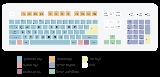
Qwerty
Function keys on a terminal may either generate short fixed sequences of characters, often beginning with the escape character (ASCII
ASCII

American Standard Code for Information Interchange , is a coding standard that can be used for interchanging information, if the information is expressed mainly by the written form of English words....
 27), or the characters they generate may be configured by sending special character sequences to the terminal. On a standard computer keyboard, the function keys may generate a fixed, single byte code, outside the normal ASCII range, which is translated into some other configurable sequence by the keyboard device driver or interpreted directly by the application program. Function keys may have (abbreviations of) default actions printed on/besides them, or they may have the more common "F-number" designations.

Function key schemes on various computer keyboards


  • Apple Macintosh: Early Mac OS supported system extensions known generally as FKEYS which could be installed in the System file and could be accessed with a Command
    Command key

    The Command key, also historically known as the Apple key or open-Apple key, is a modifier key present on Apple Keyboards. An "extended" Macintosh keyboard?the most common type?has two command keys, one on each side of the space bar; some compact keyboards have one only on the left....
    -Shift-(number) keystroke combination (Command-Shift-3 was the screen capture function included with the system, and was installed as an FKEY); however, early Macintosh keyboards did not support numbered function keys in the normal sense. Since the introduction of the Apple Extended Keyboard
    Apple Extended Keyboard

    The Apple Extended Keyboard is a Keyboard that was first sold separately alongside the Macintosh II and Macintosh SE, and later prepackaged with Apple Professional Desktops during the early 1990s ....
     with the Macintosh II, however, keyboards with function keys have been available, though they did not become standard until the mid-1990s. They have not traditionally been a major part of the Mac user interface, however, and are generally only used on cross-platform programs. Current Mac keyboards include specialized function keys for controlling sound volume. The most recent Mac keyboards include 19 function keys, but keys F1-F4 and F7-F12 by default control features such as volume, media control, and Exposé
    Exposé (Mac OS X)

    Expos? is a feature of the Mac OS X operating system. First previewed on 23 June 2003 at the Worldwide Developers Conference as a feature of the then forthcoming Mac OS X v10.3, Expos? allows a user to quickly locate an open window, or to hide all windows and show the desktop without the need to click through many windows to find a specific...
    .
  • Apple Macintosh notebooks: Function keys were not standard on Apple notebook hardware until the introduction of the PowerBook 5300 and the PowerBook 190. For the most part, Mac laptops have keys F1 through F12, with pre-defined actions for some, including controlling sound volume and screen brightness.
  • Apricot PC/Xi
    Apricot PC

    The Apricot PC was Apricot Computers' first personal computer made for business use. It had two 3.5" floppy drives and a keyboard with an LCD screen....
    : six unlabelled keys, each with a LED
    Light-emitting diode

    A light-emitting diode , is an electronic light source. The LED was discovered in the early 20th century, and introduced as a practical electronic component in 1962....
     beside it which illuminates when the key can be used; above the keys is a liquid crystal display
    Liquid crystal display

    A liquid crystal display is an Electro-optic modulator shaped into a thin, flat panel made up of any number of color or monochrome pixels filled with liquid crystals and arrayed in front of a Light#Light sources or reflector....
    —the 'microscreen'—that is used by programs to display the action performed by the key.
  • Atari 8-bit family (400/800/XL/XE)
    Atari 8-bit family

    The Atari 8-bit family is a series of 8-bit home computers manufactured from 1979 to 1992. All are based on the MOS Technology MOS Technology 6502 central processing unit and were the first home computers designed with custom coprocessor chips, giving them the most powerful graphic, sound and I/O subsystems of any 8 bit machine of their time...
    : four dedicated keys (Reset, Option, Select, Start) at the right hand side or on the top of the keyboard; the XL models also had a Help key
    Help key

    A Help key, found in the shape of a dedicated key explicitly labeled "Help", or as another key, typically one of the function keys, on a computer keyboard, is a key which, when pressed, produces information on the screen/display to aid the user in his/her current task, such as using a specific function in an application program....
    . Atari 1200XL had four additional keys labeled F1 through F4 with pre-defined actions, mainly related to cursor movement.
  • Atari ST
    Atari ST

    The Atari ST is a home computer/personal computer that was commercially available from 1985 to the early 1990s. It was released by Atari Corporation in 1985....
    : ten parallelogram
    Parallelogram

    In geometry, a parallelogram is a quadrilateral with two sets of parallel sides. The opposite or facing sides of a parallelogram are of equal length, and the opposite angles of a parallelogram are of equal size....
    -shaped keys in a horizontal row across the top of the keyboard, inset into the keyboard frame instead of popping up like normal keys.
  • BBC Micro
    BBC Micro

    The BBC Microcomputer System, or BBC Micro, was a series of microcomputers and associated peripherals designed and built by Acorn Computers for the BBC Computer Literacy Project, operated by the British Broadcasting Corporation....
    : red/orange keys F0 to F9 in a horizontal row above the number keys on top of the computer/keyboard. The break, arrow, and copy keys could function as F10-F15.
  • Coleco Adam
    Coleco Adam

    The Coleco Adam was a home computer, an attempt in the early 1980s by United States toy manufacturer Coleco to follow on the success of its ColecoVision game console....
    : six dark brown keys in a horizontal row above the number keys, labeled with Roman numerals I-VI.
  • Commodore VIC-20
    Commodore VIC-20

    The VIC-20 is an 8-bit home computer which was sold by Commodore International. The VIC-20 was announced in 1980, roughly three years after Commodore's first personal computer, the Commodore PET....
     and C64
    Commodore 64

    The Commodore 64 is an 8-bit home computer released by Commodore International in August, 1982, at a price of United States dollar595. Preceded by the Commodore VIC-20 and Commodore MAX Machine, the C64 features 64 kilobytes of Random-access memory with sound and graphics performance that were superior to IBM-compatible computers of tha...
    : F1/F2 to F7/F8 in a vertical row of four keys ascending downwards on the computer/keyboard's right hand side, odd-numbered functions accessed unshifted, even-numbered shifted; orange, beige/brown, or grey key color, depending on VIC/64 model/revision.
  • Commodore 128
    Commodore 128

    The Commodore 128 home computer/personal computer was the last 8-bit machine commercially released by Commodore International . Introduced in January of 1985 at the Consumer Electronics Show in Las Vegas metropolitan area, it appeared three years after its predecessor, the bestselling Commodore 64....
    : essentially same as VIC-20/C64, but with (grey) function keys placed in a horizontal row above the numeric keypad right of the main QWERTY-keyboard; also had Help key
    Help key

    A Help key, found in the shape of a dedicated key explicitly labeled "Help", or as another key, typically one of the function keys, on a computer keyboard, is a key which, when pressed, produces information on the screen/display to aid the user in his/her current task, such as using a specific function in an application program....
    .
  • Commodore Amiga: ten keys arranged in a row of two 5-key groups across the top of the keyboard (flush with the ordinary keyboard top row); function keys are 1½ times the width of ordinary keys. Like the Commodore 128, this also had a Help key
    Help key

    A Help key, found in the shape of a dedicated key explicitly labeled "Help", or as another key, typically one of the function keys, on a computer keyboard, is a key which, when pressed, produces information on the screen/display to aid the user in his/her current task, such as using a specific function in an application program....
    .
  • Graphing calculator
    Graphing calculator

    A graphing calculator typically refers to a class of handheld calculators that are capable of plotting graph of a function, solving simultaneous equations, and performing numerous other tasks with variables....
    s, particularly those from Texas Instruments
    Texas Instruments

    Texas Instruments , better known in the electronics industry as TI, is an United States company based in Dallas, Texas, Texas, United States, renowned for developing and commercializing semiconductor and computer technology....
    , Hewlett-Packard
    Hewlett-Packard

    The Hewlett-Packard Company , commonly referred to as HP, is a technology corporation headquartered in Palo Alto, California, United States....
     and Casio
    Casio

    is a multinational electronic devices manufacturing corporation founded in 1946, with its headquarters in Shibuya, Tokyo, Tokyo, Japan. Casio is best known for its calculators, sound reproduction equipment, Personal digital assistants, cameras, musical instruments, and watches....
    , usually include a row of function keys with various preassigned functions (on a standard hand-held calculator, these would be the top row of buttons under the screen). On low-end models such as the TI-83-series, these function mainly as an extension of the main keyboard, but on high-end calculators the functions change with the mode, sometimes acting as menu navigation keys as well.
  • HP 2640
    HP 2640

    The HP 2640A and other HP 264X models were block-mode "smart" and intelligent ASCII standard serial Computer terminal produced by Hewlett Packard using the Intel 8008 and Intel 8080 microprocessors....
     series terminals: first known instance—late 1970s—of screen labeled function keys
    Screen labeled function keys

    Screen-labeled function keys are a special case of function keys where keys are placed near a screen, which provides labels for them. These are most commonly found in kiosk applications, such as automated teller machines and gas pumps....
     (where keys are placed in proximity or mapped to labels on CRT or LCD screen).
  • HP 9830
    HP 9830

    The HP 9800 was a family of what were initially called programmable calculators and later desktop computers made by Hewlett-Packard which replaced their first HP 9100 calculator....
    : f1–f8 on two rows of four in upper left with paper template label. Also on HP 2640
    HP 2640

    The HP 2640A and other HP 264X models were block-mode "smart" and intelligent ASCII standard serial Computer terminal produced by Hewlett Packard using the Intel 8008 and Intel 8080 microprocessors....
     terminals. An early use of function keys (1972).
  • IBM 3270
    IBM 3270

    The IBM 3270 is a class of computer terminal made by IBM since 1972 normally used to communicate with IBM mainframes. As such, it was the successor to the IBM 2260 display terminal....
    : early models had 12 function keys in a 3×4 matrix at the right of the keyboard, later 24 in two rows on top of the keyboard.
  • IBM 5250
    IBM 5250

    IBM 5250, originally, was a particular model of a Computer terminal device sold with the IBM System/34 minicomputer system. Similar to the IBM 3270, it is a block-oriented terminal protocol, yet is incompatible with the 3270 standard....
    : early models frequently had a "cmd" modifier key, by which the numeric row keys emulate function keys; later models have either 12 function keys in groups of 4 (with shifted keys acting as F13-F24), or 24 in two rows. These keys, along with "Enter," "Help," and several others, generate "AID codes," informing the host computer that user-entered data is ready to be read.
  • IBM PC AT and PS/2 keyboard
    IBM PC keyboard

    The IBM PC keyboard and its derivative computer keyboards are standardized. However, during the 20 years of the PC architecture being constantly updated, several types of keyboards have been developed....
    : F1 to F12 usually in three 4-key groups across the top of the keyboard (the original IBM PC and PC XT keyboards had function keys F1 through F10, in two adjacent vertical rows on the left hand side; F1|F2, F3|F4, ..., F9|F10, ascending downwards). Many modern PC keyboards also include specialized keys for multimedia and operating system functions.
  • MCK-142 Pro: two sets of F1–F12 function keys, 1 above QWERTY and one to the left. Also, 24 additional user programmable PF keys located above QWERTY keys.
  • Sharp MZ-700: blue keys F1 to F5 in a horizontal row across the top left side of the keyboard, the keys are vertically half the size of ordinary keys and twice the width; there's also a dedicated 'slot' for changeable key legend overlays (paper/plastic) above the function key row.
  • VT-100 terminals: four function keys (PF1, Alt key
    Alt key

    The Alt key on a computer keyboard is used to change the function of other pressed keys. Thus, the Alt key is a modifier key, used in a similar fashion to the Shift key....
    ; PF2, help; PF3, menu; PF4, escape to shell) above the numeric keypad
    Numeric keypad

    A numeric keypad, or numpad for short, is the small, palm-sized, seventeen key section of a computer keyboard, usually on the very far right....
    .


Action of function keys on various programs, operating systems


In the Mac OS
Mac OS

Mac OS is the trademarked name for a series of graphical user interface-based operating systems developed by Apple Inc. for their Macintosh line of computer systems....
 up to Mac OS 9
Mac OS 9

Mac OS 9 is the final major release of Apple Inc. "Classic" Mac OS. Introduced on October 23 1999, Apple positioned it as "The Best Internet Operating System Ever," highlighting Apple Sherlock Internet search capabilities, integration with Apple's free online services known as .Mac, and improved Open Transport networking....
, the function keys could be configured by the user, with the Function Keys control panel, to start a program or run an AppleScript
AppleScript

AppleScript is a scripting language devised by Apple Inc., and built into Mac OS. More generally, "AppleScript" is the word used to designate the Mac OS scripting interface, which is meant to operate in parallel with the graphical user interface....
. Mac OS X
Mac OS X

Mac OS X is a line of computer operating systems developed, marketed, and sold by Apple Inc., and since 2002 has been included with all new Macintosh computer systems....
 assigns default functionality to , , and (Exposé
Exposé (Mac OS X)

Expos? is a feature of the Mac OS X operating system. First previewed on 23 June 2003 at the Worldwide Developers Conference as a feature of the then forthcoming Mac OS X v10.3, Expos? allows a user to quickly locate an open window, or to hide all windows and show the desktop without the need to click through many windows to find a specific...
); (Dashboard
Dashboard (software)

Dashboard is an application for Apple Inc.'s Mac OS X operating systems, used for hosting mini-applications known as Widget engine. First introduced in Mac OS X v10.4, it is a semi-transparent layer that is invisible to the user unless activated by clicking its icon in the Dock....
); and / (decrease/increase contrast). On newer Apple laptops, all the function keys are assigned basic actions such as volume control, brightness control, (since the laptops lack a keypad), and ejection of disks. Software functions can be used by holding down the Fn key
Fn key

Fn, or 'Function,' is a modifier key on many Computer keyboard used in a compact keyboard layout to combine keys which are usually kept separate....
 while pressing the appropriate function key, and this scheme can be reversed by changing the Mac OS X system preferences.

Under MS-DOS
MS-DOS

MS-DOS is an operating system commercialized by Microsoft. It was the most commonly used member of the DOS family of operating systems and was the main operating system for personal computers during the 1980s....
, individual programs could decide what each function key meant to them, and the command line had its own actions (e.g., copied to the current command prompt words from the previous command). Following the IBM Common User Access guidelines, the key gradually became universally associated with Help in most early Windows programs. To this day, Microsoft Office
Microsoft Office

Microsoft Office is a popular set of interrelated desktop applications, servers and services. Microsoft Office is collectively referred to as an office suite, for the Microsoft Windows and Mac OS X operating systems....
  programs running in Windows list as the key for Help in the Help menu. Internet Explorer in Windows does not list this keystroke in the help menu, but still responds with a help window. is commonly used to activate a search function in applications, often cycling through results on successive presses of the key. + is often used to search backwards. Some applications such as Visual Studio
Microsoft Visual Studio

Microsoft Visual Studio is an integrated development environment from Microsoft. It can be used to develop Console application and graphical user interface applications along with Windows Forms applications, web sites, web applications, and web services in both native code together with managed code for all platforms supported by Microsoft W...
 support + as a means of searching for the currently highlighted text elsewhere in a document. is also commonly used as a refresh key in many web browser
Web browser

A Web browser is a application software which enables a user to display and interact with text, images, videos, music, games and other information typically located on a Web page at a website on the World Wide Web or a local area network....
s and other applications, while activates the full screen
Full screen

The term full screen refers to an image or video occupying the screen entirely.* Fullscreen * in computing, a window or frame is said to be fullscreen when it covers the full screen, often subverting the operating system's normal interface....
/kiosk mode
Kiosk software

Kiosk software is the system software and user interface software designed for a kiosk or Internet kiosk. Kiosk software locks down the application in order to protect the kiosk from users....
 on most browsers. Under the Windows environment, the + key is commonly used to quit or close portions of an application. generally activates the menu bar
Menu bar

A menu bar is a region where Menu are housed. Its purpose is to house window- or application-specific menus which provide access to such functions as opening files, interacting with an application, or help....
, while + activates a context menu
Context menu

A context menu is a menu in a graphical user interface that appears upon user interaction, such as a Right click#Common mouse operations. A context menu offers a limited set of choices that are available in the current state, or context, of the operating system or application....
. is used in Windows Explorer, Visual Studio and other programs to rename files or other items.

Other function key assignments common to all Microsoft Office applications are: to check spelling, + to call the macros dialog, + to call the Visual Basic Editor and ++ to call the Script Editor. In Microsoft Word, + reveals formatting. In Microsoft PowerPoint, starts the slide show, and moves to the next pane.

WordPerfect for DOS
WordPerfect

WordPerfect is a proprietary software word processing application, now owned by Corel. Bruce Bastian, a Brigham Young University graduate student and BYU computer science professor Dr....
 is an example of a program that made heavy use of function keys.

Function Keys are also heavily used in the BIOS
BIOS

In computing, the Basic Input/Output System , also known as the System BIOS, is a de facto standard defining a firmware interface for IBM PC Compatible computers....
 interface. Generally during the power-on self-test
Power-on self-test

Power-on self-test is the common term for a computer, router or printer's pre-boot sequence. The same basic sequence is present on all computer architectures....
, BIOS access can be gained by hitting either a function key or the delete key. In the BIOS keys can have different purposes depending on the BIOS. However, is the de facto standard for save and exit which saves all changes and restarts the system.